Organizations, Users, and Access Management
Before using Arraylake, you'll need to configure your organization, users, and access management. For a conceptual overview of these concepts, see Roles and Permissions.
Organizations
An ArrayLake org represents an collection of users that maintains multiple repos.
A company or institution will typically have a single Arraylake org, and an Arraylake User can belong to one or more organizations.
The org is the owner of all repos.
When using the Arraylake API, the org identifier prefixes a repository name to uniquely identify a repository. For example
my-company/sentinel-repo represents the sentinel-repo belonging to my-company.
Arraylake orgs are created by the Earthmover team once your account has been provisioned.
For more depth, have a look at the Arraylake data model.
Principals
Identities in the Earthmover Platform are called principals. Principals can be one of two types:
- Users - Actual human users. Each user is associated with an email address.
- API Keys - API keys are intended for non-human "service accounts", suitable for use in automated data processing jobs, dashboards, or other machine-to-machine connections.
Principals can also be grouped into teams to manage shared access.
Managing Principal Permissions
Principals can have Organization-Scoped and Repo-Scoped roles within the platform. For an enumeration of each role's permissions, see Organization-Scoped User Roles and Repo-Scoped User Roles.
Creating and Managing Users
When your Arraylake org is created, the Earthmover team will create at least one admin user. This admin user can create more users and edit their permissions.
Users are managed via the Organization Settings dashboard:
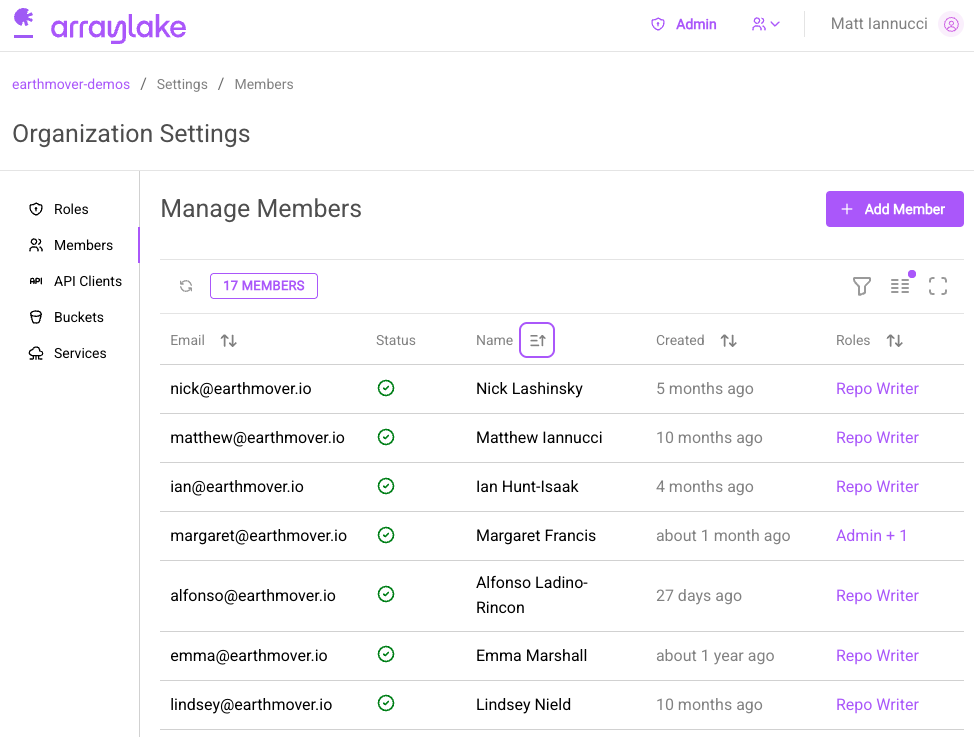
To add a new user, click the big purple "Add Member" button. Then enter the user email:
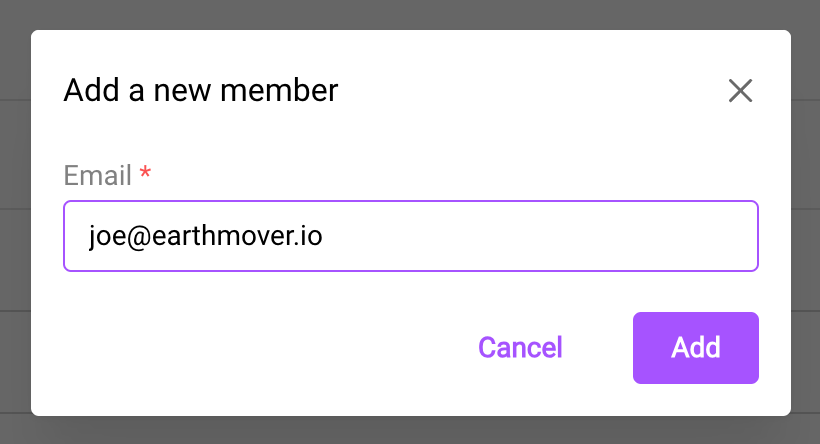
New users are added with the Member role only, which grants no access to repos or data. After inviting a user, grant them the roles they need.
To change a user's roles, click on the users current role in the table, or the settings gear icon to the right of the table.
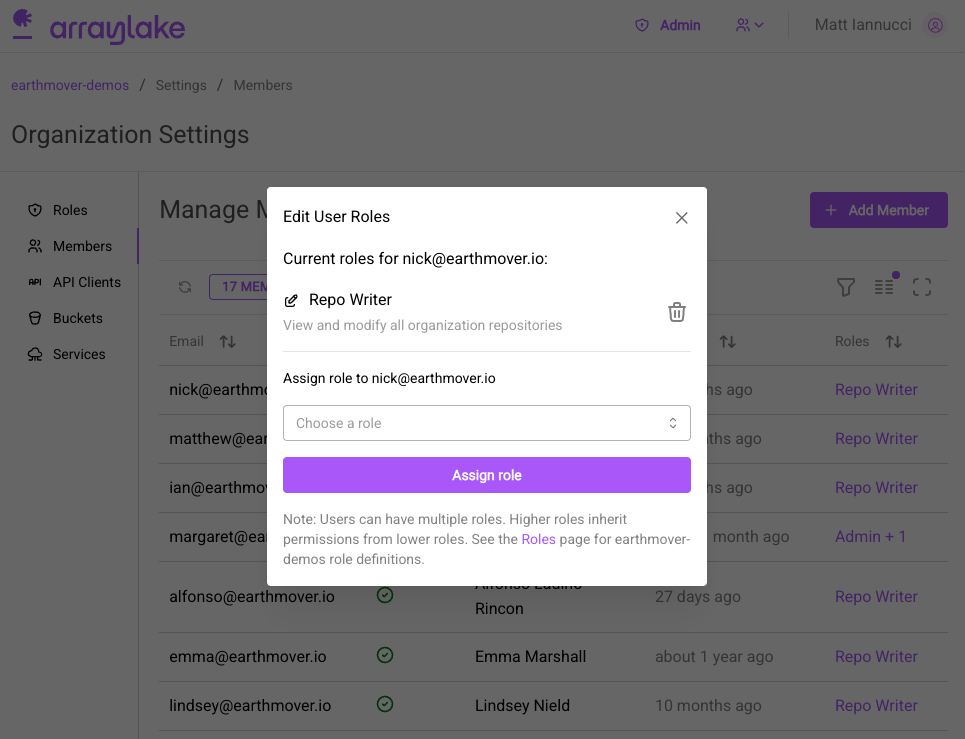
Repo-level roles are also available to grant fine-grained access to repos. For more information, see Repo-Scoped User Roles.
Creating and Managing API Keys
Arraylake allows you to create API keys that have access to all repositories in an organization. API Keys can be given explicit permissions to perform actions within an organization or repo. For an enumeration of each permission's capabilities, see Organization-Scoped API Key Permissions and Repo-Scoped API Key Permissions.
API keys can be used in place of user accounts to provide access to Arraylake data. API keys can be thought of as "service accounts," suitable for use in automated data processing jobs, dashboards, or other machine-to-machine connections.
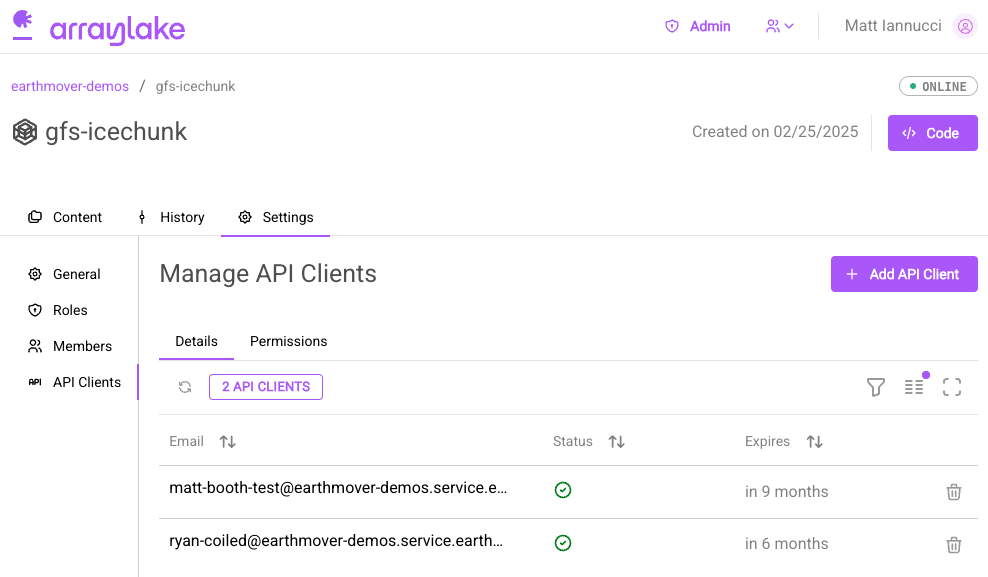
To manage API Keys, navigate to the "API Clients" tab:
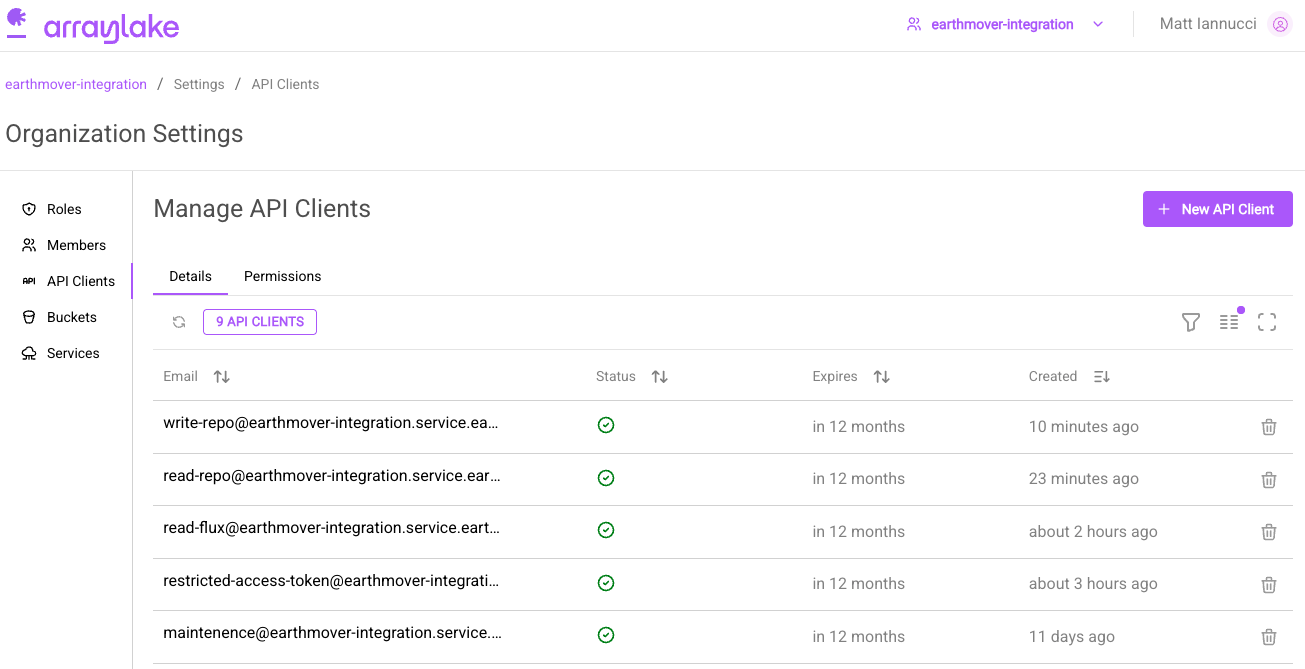
Here you can view and delete existing API keys.
To create a new API key, click on the big purple "New API Client" button.
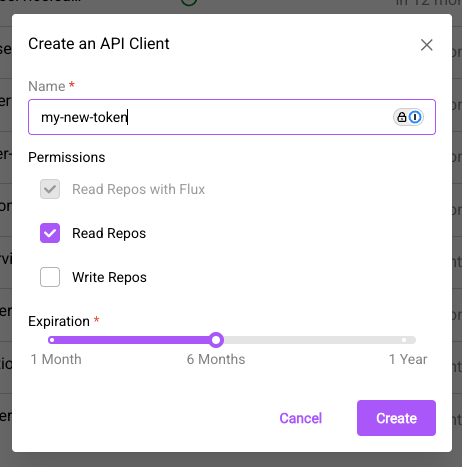
Enter a name for the API key, then select the appropriate permissions (read/write), and the key's lifetime (Once an API key expires it can no longer be used.)
Once the key has been created, you will be shown a secret token.
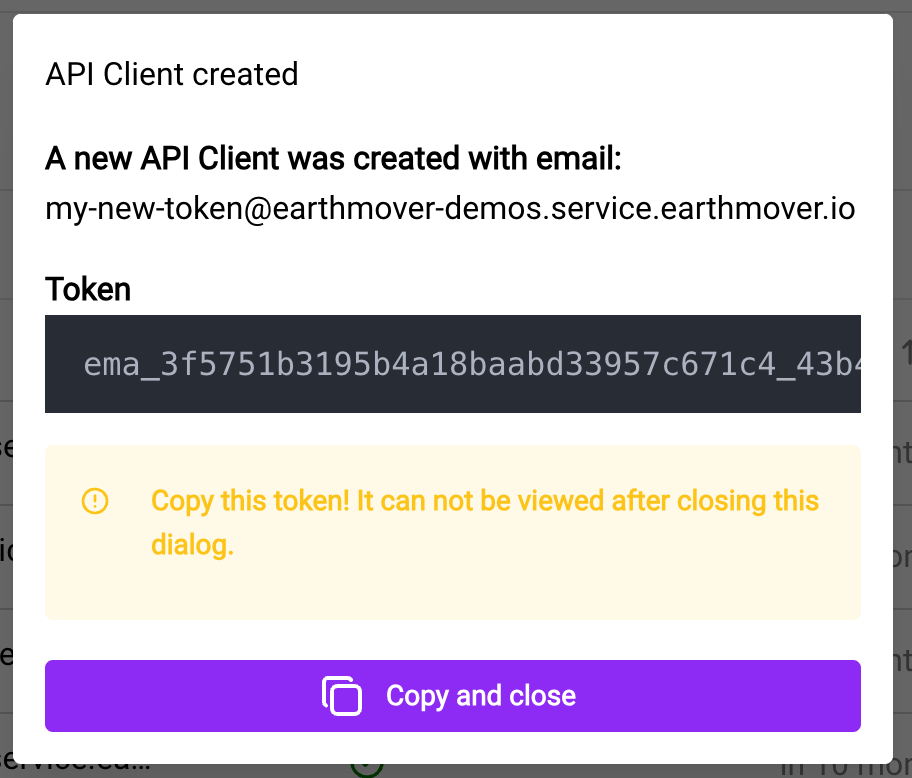
About API Keys
- API Keys are associated with shared Service Accounts. They are intended to be used for machine-to-machine authentication on behalf of these accounts, and should not be used for individual user access to services.
- API Keys use an identifier of the form:
<name>@<org>.service.earthmover.io. The<name>component of this identifier is defined by the requester. (Note that this is not actually a valid email address.) - Secret tokens expire after 1 year by default. This is configurable as needed by the requester.
- Secret tokens are a single string, prefixed with the
ema_identifier.- Example Token:
ema_123456789123456789_123456789123456789123456789.
- Example Token:
- Tokens should be considered secret, and should not be shared publicly. Owners should take appropriate precautions when distributing in deployed environments. For example: consider storing the token in a service like AWS SSM Paramater store to enable deployed services or jobs to access them.
To delete an API key, click the garbage-can symbol.
Repo-level permissions are also available to grant fine-grained access to repos. For more information, see Repo-Scoped API Key Permissions.
Rotating API Keys
Org admins can rotate an API key's secret without recreating the client. This issues a new token, lets the previous token continue to authenticate for a configurable grace period, and optionally extends the key's expiration. Use rotation when:
- The current token may have been exposed or shared too broadly.
- You want to periodically refresh long-lived service-account tokens as a hygiene practice.
- The key is approaching its expiration and you want to extend it without disrupting consumers.
To rotate a token, click the rotate icon next to the API key in the "API Clients" tab.
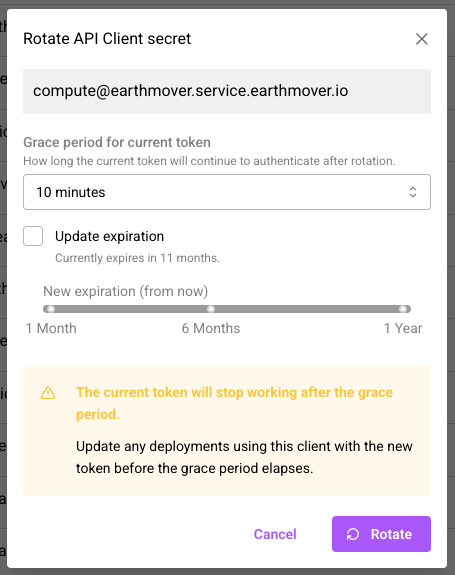
In the rotation dialog you can configure:
- Grace period for current token - How long the previous token will continue to authenticate after rotation. Options range from immediate revocation up to 7 days. During the grace period, both the old and the new token are accepted, giving you time to roll the new value out to your deployments.
- Extend expiration - Optionally push the key's expiration out by 1 to 12 months from the time of rotation. If left unchecked, the existing expiration is preserved.
Once submitted, you'll be shown the new secret token. As with creation, this is the only time the full token is visible - copy it immediately and store it securely. Update any deployments using this client with the new token before the grace period elapses; once it does, the previous token will stop authenticating.
Rotation requires the same manage_org_users permission used to create and delete API keys.
The grace period is capped at 7 days. The new expiration cannot exceed the maximum
service-account duration enforced by the service.
Viewing an API Key's Permissions
To see everything an API key has been granted, click the key's name in the "API Clients" tab to open its detail page.
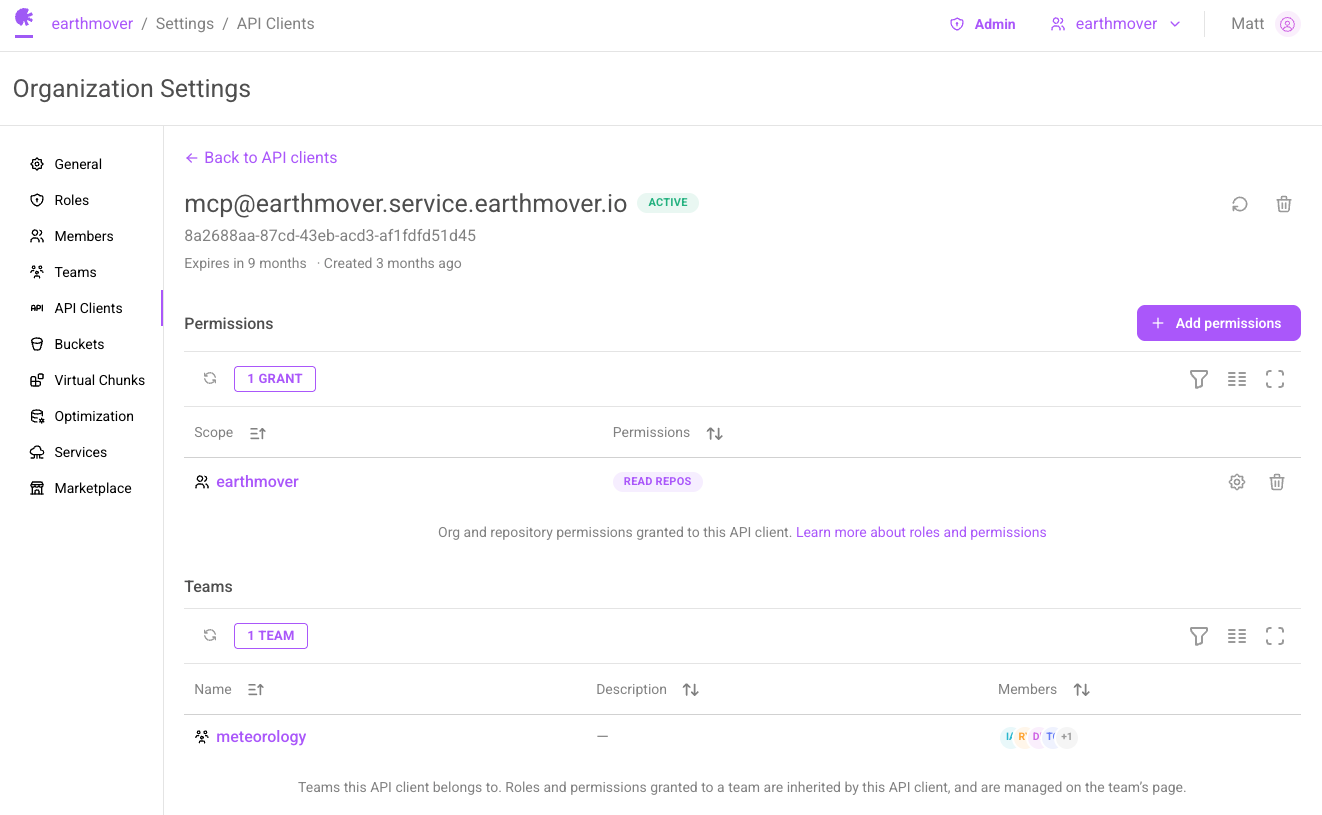
The "Permissions" table lists every organization-scoped and repo-scoped permission granted directly to the key, one row per resource. Org admins can add, edit, and remove permissions from this page.
The "Teams" section lists the teams the key belongs to. The permissions table shows direct grants only. Access inherited through a team is managed on that team's page.
Creating and Managing Teams
Teams group principals so that access can be granted once and shared by every member. Roles granted to a team are inherited by all of its members. For more details, see Teams.
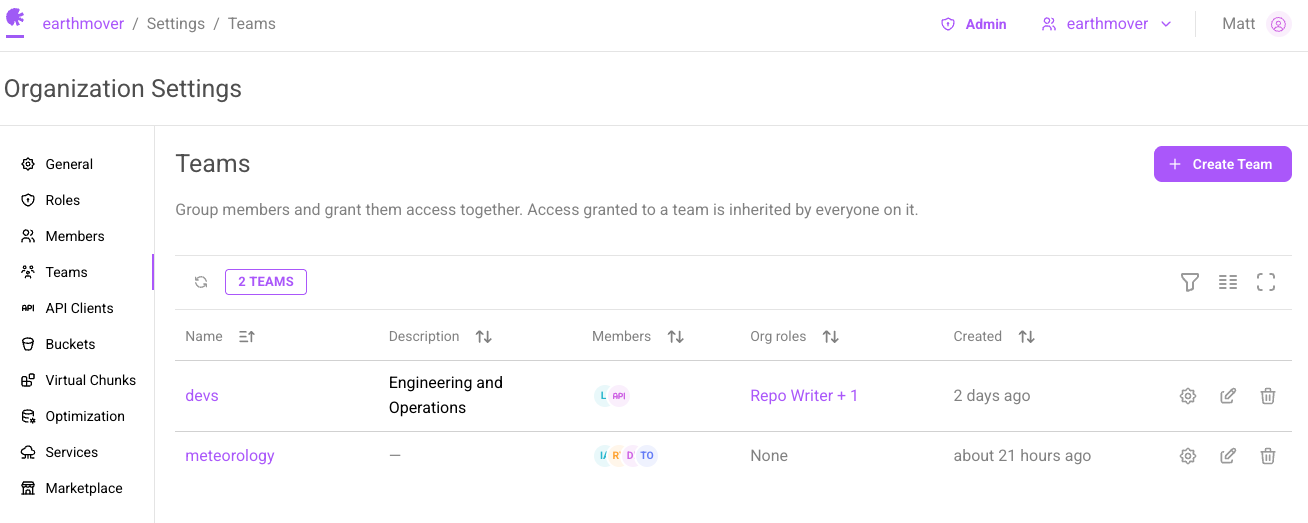
Teams are managed via the "Teams" tab in the Organization Settings dashboard. To create a team, click the "Create Team" button and give the team a name and an optional description.
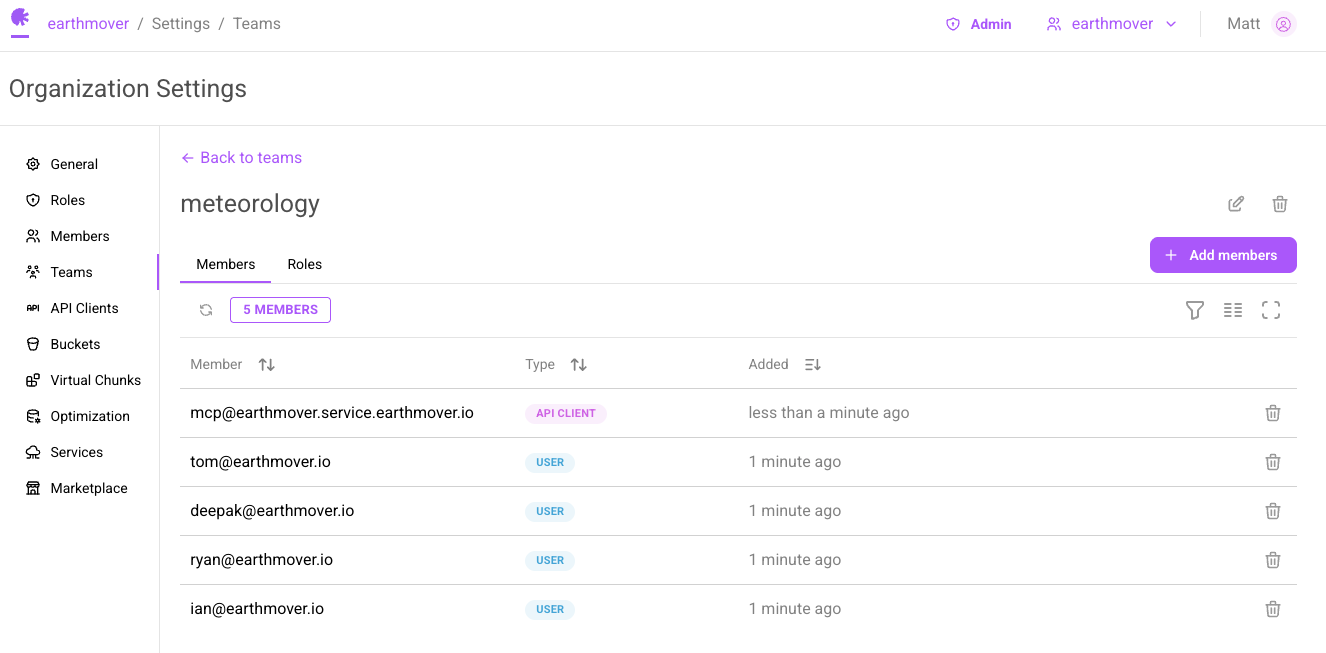
Click on a team to open its detail page. The "Members" tab lists the team's members. Click "Add members" to add users and API keys from your organization.
The "Roles" tab lists every organization-scoped and repo-scoped role granted to the team. Org admins can add, edit, and remove roles here.
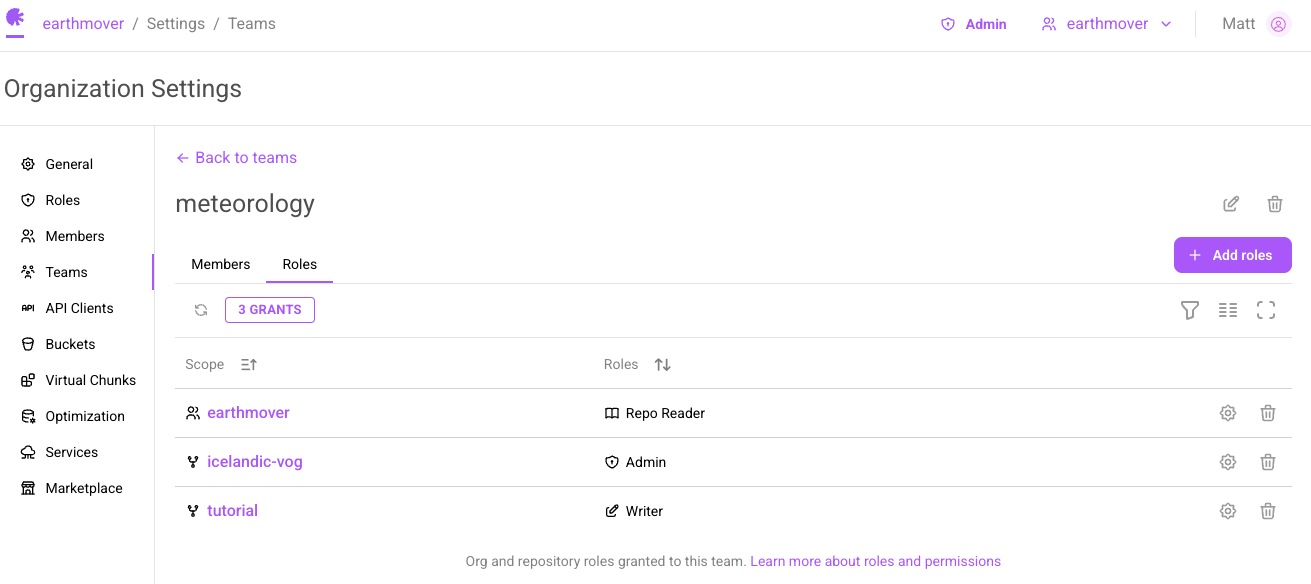
Removing a role from a team removes the inherited access for everyone on the team. Roles granted directly to a principal are unaffected.
Repo-Scoped Roles and Permissions
Repo-level roles and permissions are available to grant explicit access to repos.
Repos can only add users and API keys from the organization they belong to.
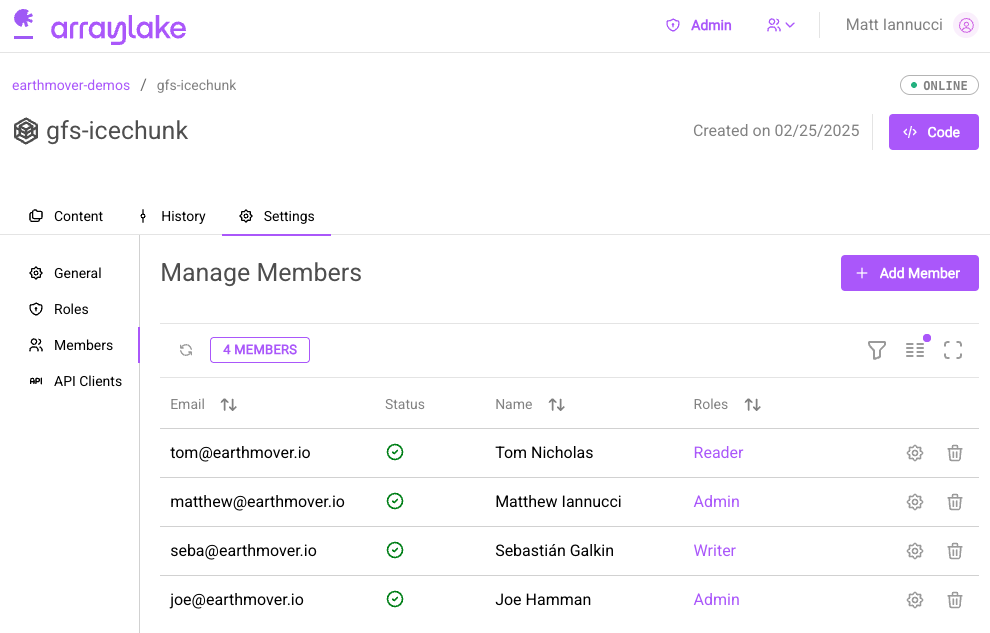
Once users and API keys have been added to an organization, they can be granted explicit repo level roles and permissions. From a repository's settings page, you can grant roles to users using the "Members" tab. From here you can modify a user's roles and add organization users to the repo to grant them explicit repo-scoped roles.
The "API Clients" tab can be used to manage API keys for a repo.
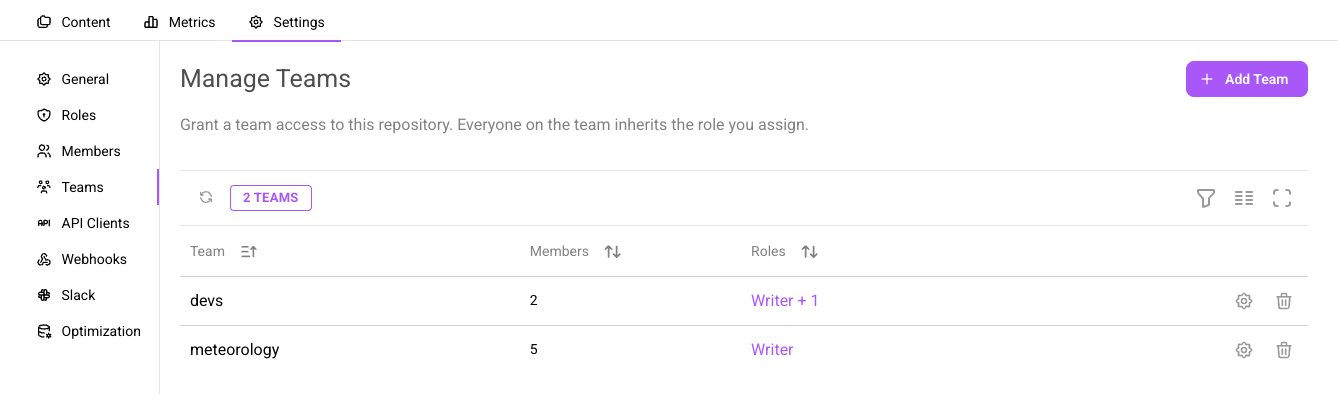
The "Teams" tab can be used to grant teams access to a repo. Everyone on the team inherits the roles assigned here.
Client Authentication
Interacting with data in Arraylake from Python requires authentication by the client.
Arraylake supports two methods of authenticating requests to the service:
- User identities: A User authenticates directly
- API Keys: An API token associated with a shared service account is used
Authenticating as a User
To authenticate as a user, use the Arraylake CLI or Python API.
Running the following command will initiate the login flow by directing you to a login page associated with your organization:
- CLI
- Python
arraylake auth login

# Or, if running from a remote environment
arraylake auth login --no-browser
from arraylake import Client

client = Client()
client.login()
This flow will yield a code that can be provided to the command line prompt and ultimately authenticate your access to the service.
Subsequently you can use arraylake auth logout to logout, or arraylake auth refresh to refresh your authenticated status.
Authenticating with an API Key
At this time, API Key authentication is available via the Python API only. To authenticate with an API Key, pass the
appropriate API token as a parameter to the Client. We recommend storing the token as an environment variable rather than hard coding
the token in code. For example, if the environment variable MY_ARRAYLAKE_API_TOKEN is set,
you can access it as follows:
- Python
import os
from arraylake import Client

api_token = os.environ.get('MY_ARRAYLAKE_API_TOKEN')
client = Client(token=api_token)
client.list_repos('my-org')
If present, the ARRAYLAKE_TOKEN environment variable will automatically be detected and used to populate the client token. This is the easiest way to configure access to Arraylake from automated scripts, cron jobs, and CI environments.
Enterprise Authentication Support
Arraylake supports social login using Google, GitHub, and Microsoft accounts. For most organizations, no additional configuration is needed. Simply add users to your organization using their email address and instruct them to login with the appropriate authentication provider.
GitHub
If you plan to use GitHub to allow your users to login via Arraylake, remember that you'll be adding users via the email associated with their account. To find the email address associated with a GitHub user account, you can use the GitHub API. Below is an example showing how this can be done using GitHub's CLI:
gh api \
  -H "Accept: application/vnd.github+json" \
  -H "X-GitHub-Api-Version: 2022-11-28" \
  /users/jhamman
Microsoft Active Directory
If your organization uses enterprise Microsoft Active Directory to manage your users, you may need to approve Earthmover's OIDC application before your users can login. This can be done by following this link.
Public Data
There are three methods by which you can make arraylake data publicly available.
Compute
You can expose Earthmover's Compute service publicly by not requiring authentication
API Keys
As discussed above you can generate API keys with appropriately scoped access and distribute these.
Making a Repository public
In the settings app.earthmover.io/{org}/{repo}/settings/general you can update the visibility of a repository to public which will allow anyone with an Arraylake account to access the raw data.